
From a Dreamt Hum to a Finished Track?! How I Used AI to Create a Bilingual Song & MV in Just One Day
This article pulls back the curtain on how the author took a fragmented melody casually hummed in a dream and, by leveraging various AI tools (Suno, Gemini, Doubao, Codex, etc.), elevated it into a high-quality Chinese-Japanese bilingual original song with both horizontal and vertical MV versions—all within a single day. Packed with practical, actionable insights for everyone from beginners to seasoned creators, the piece highlights the "blank prompt (instrumental-first) generation technique" to fix the common issue of AI music tools (Suno) going rogue in the second half, alongside a Python (Codex) script for automated MV creation, and a DIY, zero-code LRC lyric maker.

Introduction
Since it’s the weekend, let’s step away from dry, technical deep-dives for a moment and chat about something a bit more fun and creative: How I went from a random melody hummed in a dream to a complete, original Chinese-Japanese bilingual song and matching MVs, entirely from scratch using AI. I’m laying out my entire step-by-step workflow right here.
Showcase
Chinese Version MV:
Japanese Version MV:
How It All Began
One night, right in the middle of a dream, a unique melody popped into my head out of nowhere. I couldn’t tell if it was a fragment of an old song I’d heard before or my sleeping brain improvising. While talking in your sleep is pretty common, subconsciously humming a tune while completely dead to the world actually woke me up in the middle of the night because of how bizarre it sounded.
I immediately rolled out of bed, fired up my recording gear, and captured the raw hum straight from the dream (fair warning: the audio quality is rough!):
True to my "act on it immediately" habit, I decided to take this spark of inspiration and spend a whole day leveraging various AI tools to polish that fragmented humming into a fully realized original single. Along the way, I made every mistake possible so that I could compile this zero-barrier guide for anyone wanting to replicate the process.
Step 1: Clean Up the Raw Melody Audio
I’ve been playing the piano since I was four years old. With over a decade of training under my belt, transcribing by ear isn’t a huge challenge for me. I broke out my portable electronic keyboard, fixed the pitch against the original recording, mapped out the full main melody, and re-recorded a clean version:
Note: If you don't know music theory or can't transcribe by ear, don't worry! Just find a quiet room and record a clearer version of yourself humming the tune, and you're good to move to the next step.
Step 2: Customizing Lyrics by Language with AI
I put several Large Language Models to the test—including Gemini, ChatGPT, Grok, DeepSeek, Tongyi Qianwen, and Doubao. Through rigorous hands-on testing, I found the optimal setup:
- For Chinese lyrics: Doubao is the clear winner.
- For Japanese lyrics: Gemini (specifically the updated Flash 3.5) yields the best results.
Step 3: The Ultimate Pro-Tip—Generate the Instrumental First
The most common mistake beginners make is uploading the hummed audio, throwing in the full lyrics and genre tags, and letting Suno generate the song all at once. The result? Only the first few bars follow your original melody, and the AI goes rogue on the arrangement for the rest of the song, completely derailing the tune.
After plenty of trial and error, here is the workaround: Clear out the entire lyric box, keeping only the genre and structure style tags in brackets. By generating the track with completely blank lyrics first, you lock down the instrumental and force the AI to adhere strictly to your original main melody.
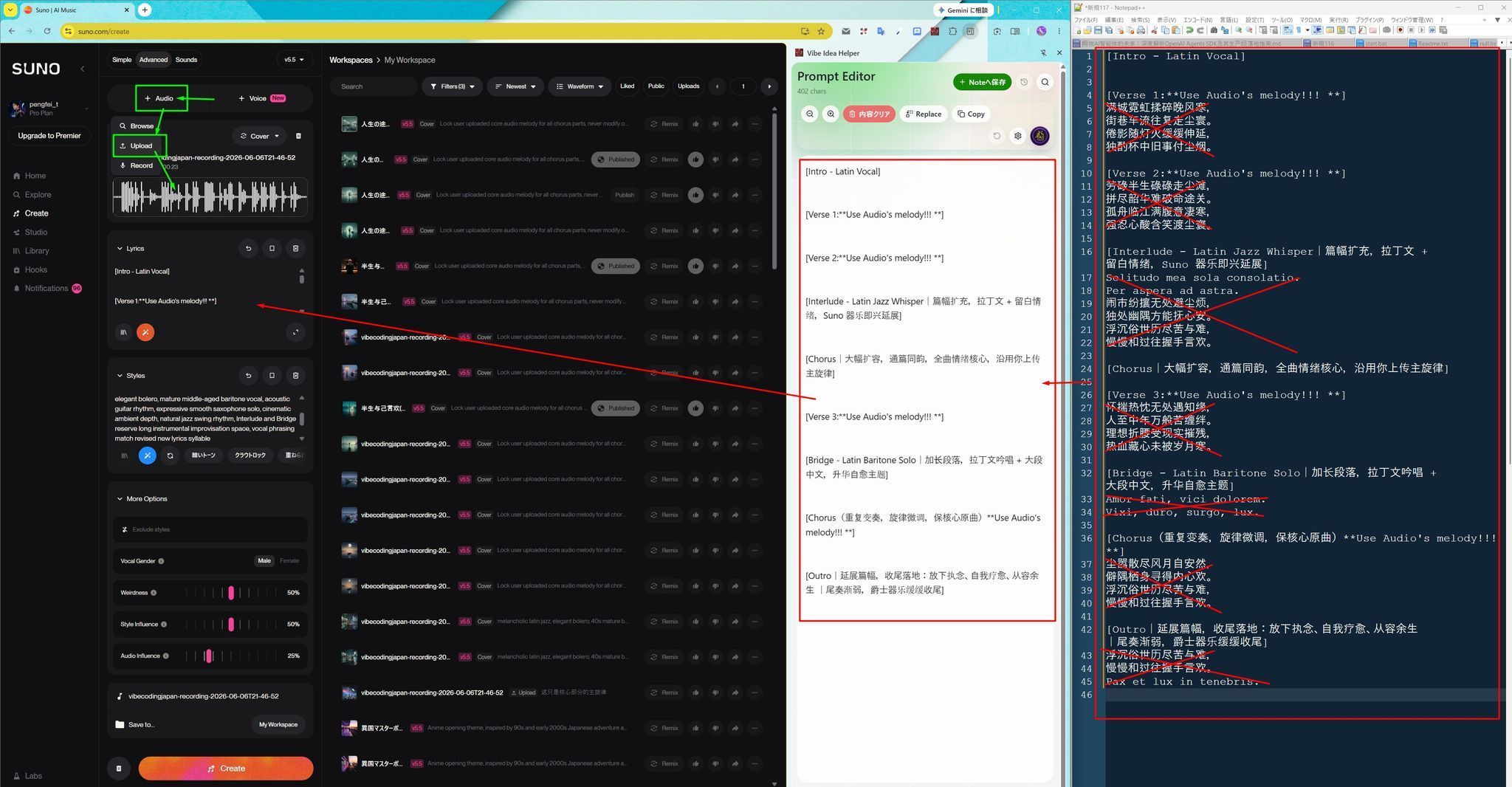
Here is the generated backing track:
Step 4: Drop the Lyrics Back In for the Final Track
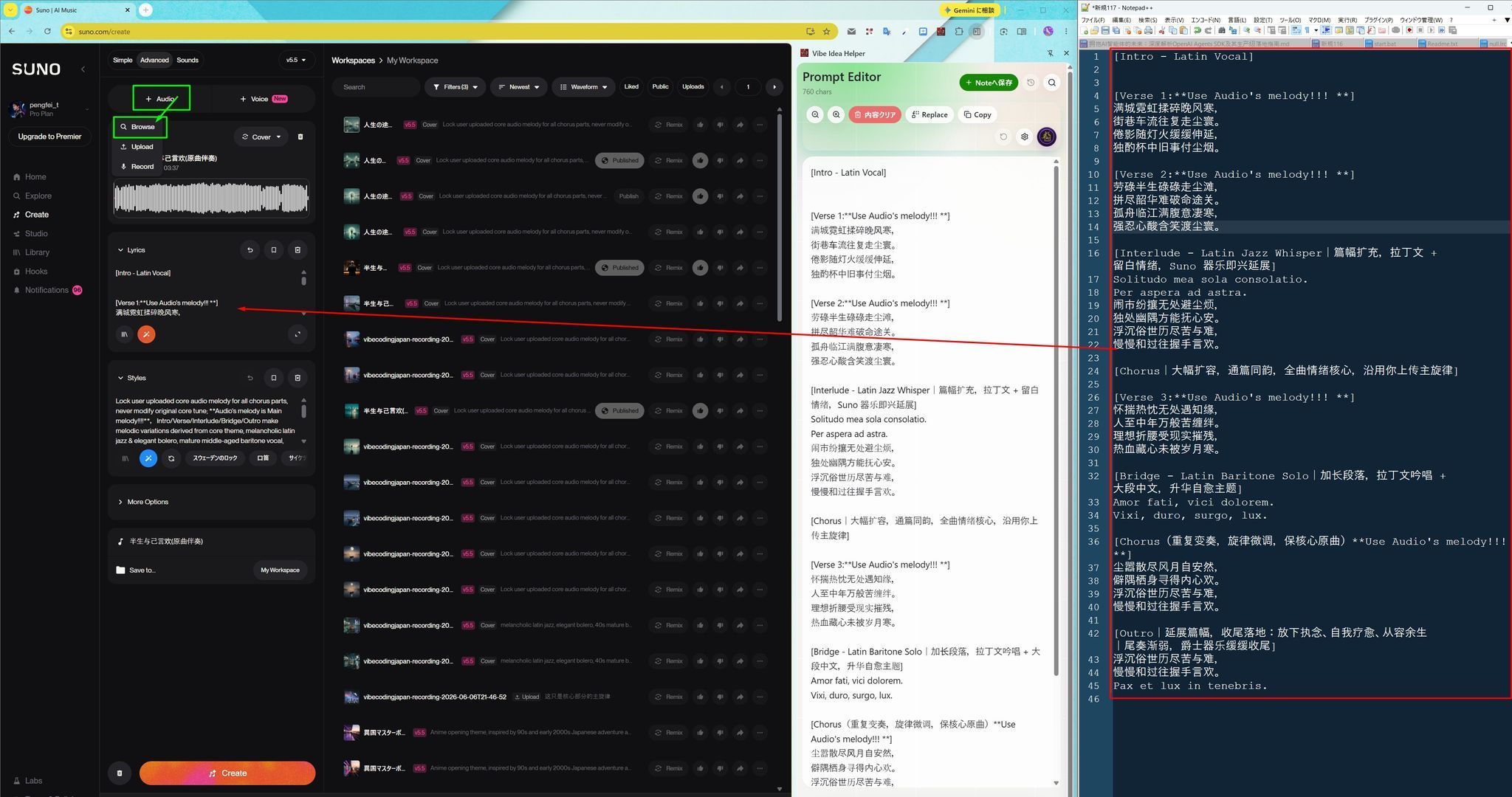
Using the fixed instrumental as your foundation, paste the full Chinese or Japanese lyrics back in and iterate. In the AI music community, this is what we call "rolling the gacha." Listen to each generation, tweak clunky phrasing, adjust the line breaks to fix the pacing, and regenerate until the lyrics and melody blend perfectly.
Step 5: One-Click Automated MV Generation via Codex
You don’t need professional editing software like Premiere Pro or After Effects. Using Codex to write a Python script, I built a universal MV generation pipeline. Below is the exact prompt I used:
Create a music video with scrolling subtitles and audio-reactive visual effects, utilizing GPT Image2 to dynamically generate background visuals based on the lyric content.

Visual specifications:
The main subject is a sophisticated 40-year-old Asian man wearing a well-fitted suit that subtly hints at a lean, toned physique. He is shown from behind, sitting inside a Japanese izakaya, with the neon lights of the Tokyo nightscape visible outside the window.

The composition must accommodate both 16:9 widescreen and 9:16 vertical video formats, keeping the subject centered. Subtitles must adapt to both aspect ratios without bleeding off the screen.

Add audio-visual synchronization effects:
The video frame should pulse subtly in time with the music's waveform, and a stylized, dynamic audio wave visualizer should float on the screen.

Build this as a reusable project. Upon launch, it should accept the following arguments: audio file path, plain-text lyric file path, and background image source path. The program should automatically analyze the audio spectrum, load the assets, and output both horizontal and vertical final videos simultaneously.
Bonus | A Quick DIY Tool for LRC Lyrics
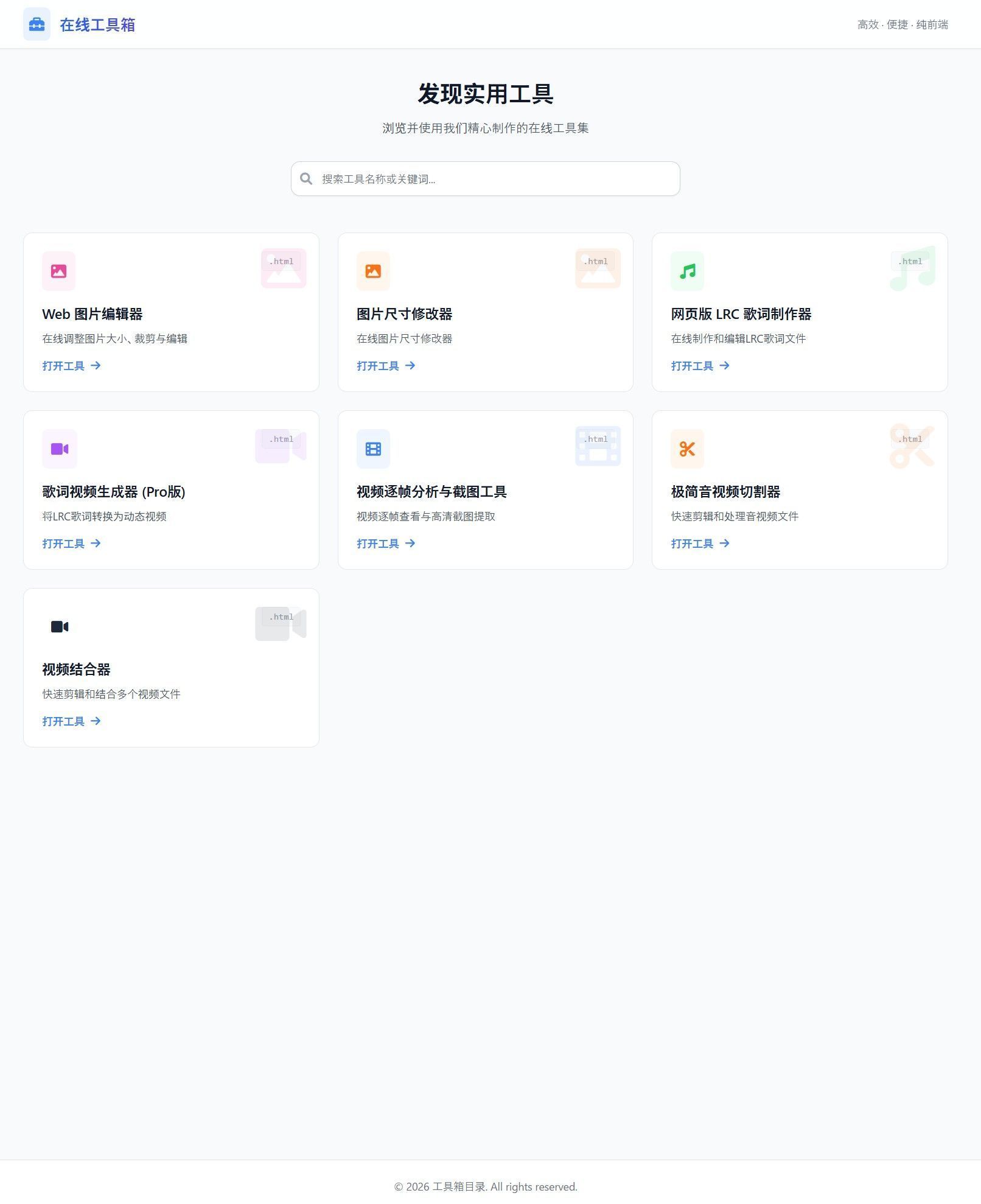
Tired of manually creating synced LRC lyric files? Here is an open-source tool repository I built with zero coding experience using Trae and VibeCoding: https://github.com/perfact-tang/mp3lrctools
The project includes a built-in Web-based LRC Lyric Maker. Once you download the source code, you can just double-click index.html on your local machine to run it completely offline—no complex environment setups required. It lets you quickly generate standard lyric files that plug right into the MV generation script above. Feel free to download it and give it a spin!